

The integration between YouTube Ads and Google Analytics4 represents a significant evolution in how companies can track and optimize their video marketing campaigns.
With the ability to upload videos to a YouTube channel using a Google Account , marketers can now visualize the full impact of video ads throughout the entire sales funnel.
By using Google Analytics4 , it's possible to understand how viewers interact with YouTube ads and subsequently navigate the website or app, providing valuable data for optimization.
Main points
- The integration between YouTube Ads and Google Analytics4 improves the traceability of marketing campaigns.
- Marketers can visualize the full impact of video ads.
- Google Analytics4 offers advanced cross-platform analytics capabilities.
- Correct implementation of this integration requires specific technical knowledge.
- This guide will provide step-by-step instructions for setting up and optimizing the integration.
Understanding the Importance of YouTube Ads in the Sales Funnel
With over 2 billion monthly active users, YouTube stands out as an essential platform for video advertising . According to Google/Ipsos research, users who discover new products or brands on YouTube are highly likely to take action.
The importance of YouTube Ads in the sales funnel can be understood through several aspects:
- YouTube positions itself as a strategic platform in the sales funnel, offering massive reach with over 2 billion monthly active users who consume content of video daily.
- Os video ads on YouTube demonstrate superior effectiveness compared to traditional formats, generating engagement rates up to 3 times higher and better brand message retention.
- The visual and immersive nature of video marketing allows you to communicate complex value propositions more effectively, especially in the early stages of the funnel where customer education is key.

Studies show that 70% of consumers say they have purchased a product after seeing it in YouTube ads , highlighting its direct impact on conversions. Furthermore, the platform offers advanced targeting options that allow you to reach specific target audiences at different stages of the sales funnel, from awareness to purchase decision. For more information on how to optimize your campaigns , visit our article on ad spend and optimization.
The Power of Video Marketing in the Conversion Process
Video marketing stands out for its ability to engage people and increase views . By integrating video ads into the sales funnel, brands can significantly improve their conversion rates.
Google Analytics 4 Fundamentals for Video Campaigns
Google Analytics 4 (GA4) represents a significant evolution in analytics for YouTube video campaigns. This new version of Google Analytics is designed with cross-platform measurement and event-based modeling in mind, offering a more user- and event-centric approach.
The paradigm shift in GA4 moves away from the traditional session- and cookie-based model, adapting to increasing tracking restrictions and offering advanced statistical modeling. This enables more accurate and detailed analysis of user interactions with video ads.
Main Differences Between GA4 and Previous Versions
GA4 differs significantly from previous versions of Google Analytics, particularly in its ability to track specific interactions with videos, such as partial and complete views, CTA clicks, and subsequent conversions. Additionally, GA4 offers video-specific metrics, including view rate, average engagement, and contribution to conversion.
| Metric | Description | Benefit |
|---|---|---|
| View Rate | Percentage of views in relation to total impressions | Understanding Ad Effectiveness |
| Average Engagement | Level of user interaction with videos | Content quality analysis |
| Contribution to Conversion | Impact of videos on conversions | Optimizing campaigns for conversions |
By integrating GA4 with YouTube video campaigns, marketers can gain deeper insights into their campaign performance and make data-driven decisions to optimize their strategies.
Preparing Your YouTube Channel for Integration
To integrate your YouTube channel effectively, it’s crucial to prepare it properly. This involves ensuring that you have administrative access to the channel and that the necessary settings are completed in YouTube Studio.
Properly preparing your YouTube channel is essential to ensuring efficient integration with Google Analytics4 and maximizing your performance analytics capabilities. This includes ensuring that you have administrative access to your channel, as only admins can set up integrations with analytics and advertising platforms.
Necessary Settings in YouTube Studio
To prepare your YouTube channel, sign in to YouTube Studio, click Settings, and select Channel. In the Advanced Settings tab, you can manage account linking and set access permissions for Google Ads and other analytics tools. You need to access the channel's advanced settings to enable data sharing with Google Analytics4 and configure the appropriate access permissions.
Furthermore, channel ownership verification is an important security requirement. This ensures that only authorized users can access and analyze sensitive performance data. It is recommended to review channel privacy settings to ensure compliance with data protection regulations while maximizing the collection of relevant metrics for analysis. For more information on data analytics tools for advertising campaigns, please visit our article on Data Analytics Tools.
How to Integrate YouTube Ads with Google Analytics 4
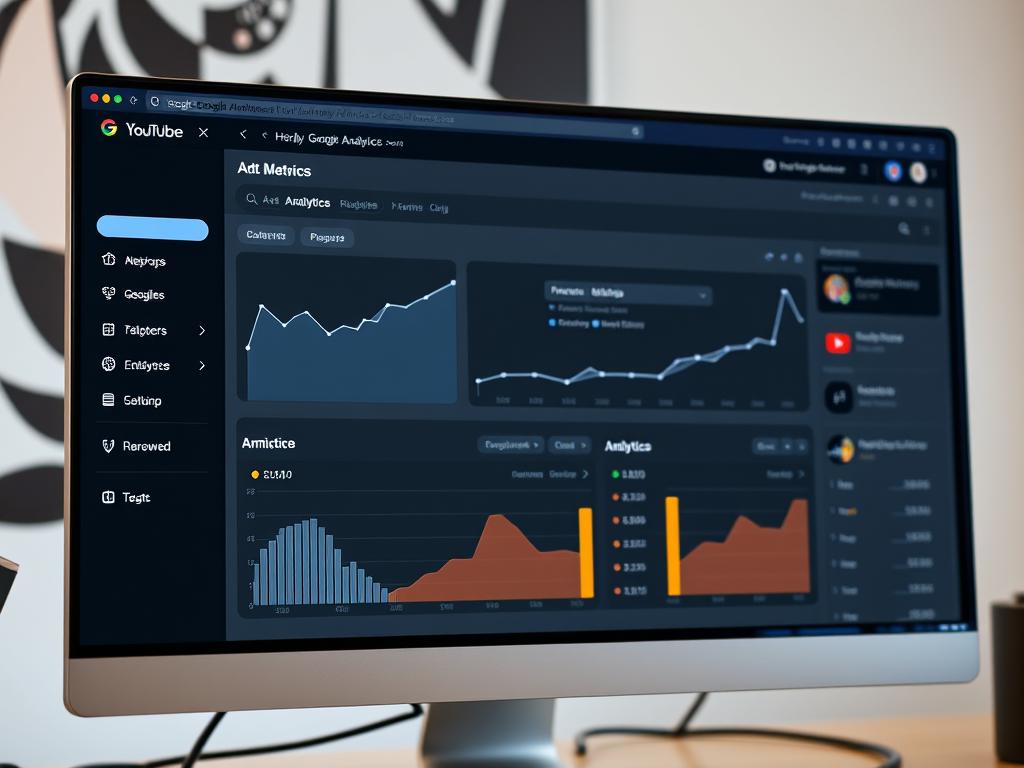
The integration between YouTube Ads and Google Analytics 4 is essential for understanding the performance of your video campaigns and optimizing your conversion funnel. By linking your Google Ads account to your YouTube channel, you can access organic view metrics and run targeted ads.
Linking your Google Ads Account to YouTube
Linking your Google Ads account to your YouTube channel is the first step to successful integration. To do this, go to the Google Ads Data Center, select “Connect product” and choose the YouTube option.
It’s crucial to make sure you have administrative access to both Google Ads and the YouTube channel. Once successfully linked, configure Google Analytics 4 to receive data from YouTube by creating a data stream that includes the relevant YouTube properties.
With this integration, you can track the entire user path from viewing your YouTube ad to subsequent actions on your website or app, providing a holistic view of your conversion funnel.
Creating Efficient Data Segments in GA4
Creating data segments in Google Analytics 4 (GA4) is crucial to understanding user behavior in relation to YouTube ads. By linking a YouTube channel to a Google Ads account, channel owners can make features like data segments available, allowing for deeper analysis of viewer interactions.
Video engagement targeting is one of the core features of GA4. It allows marketers to identify users based on specific video viewing behaviors, such as watch time, CTA interactions, or completion of full videos.
Segmentation by Video Interactions
Video engagement targeting allows you to identify users at different stages of the sales funnel. This can range from those with initial interest to those with advanced purchase intent. With this information, you can create highly specific audiences for remarketing.
To maximize effectiveness, it’s a good idea to create segments that align video viewing behaviors with subsequent actions on your site. This helps establish correlations between content engagement and conversion propensity.
| Interaction Type | Description | Conversion Potential |
|---|---|---|
| Viewing Time | Users who viewed a significant percentage of the video | High |
| Interactions with CTA | Users who interacted with calls to action during the video | Medium to High |
| Video Completion | Users who completed viewing the video | High |
Implementing Custom Events for Conversion Tracking
GA4 allows you to set up custom events to track everything from video views to subsequent actions on your website or app. This is critical to understanding how YouTube ad viewers progress through your sales funnel.
Implementing custom events in Google Analytics 4 is crucial to measuring the effectiveness of your video campaigns. Unlike previous versions of Analytics, GA4 uses an event-based model that allows for greater flexibility in defining and tracking meaningful interactions for your business.
Defining Relevant Events for Your Sales Funnel
Relevant events for YouTube Ads campaigns can include partial or complete video views, clicks on call-to-action elements, visits to specific pages after viewing the ad, and conversion actions such as sign-ups or purchases.
| Event | Description | Importance |
|---|---|---|
| Full Video View | Tracks when a user watches the full video | High |
| Click on Call-to-Action | Records clicks on CTA elements within the video | Media |
| Visit Specific Page | Tracks visits to specific pages after viewing the ad | High |
For more information on remarketing strategies, visit this link.
Performance Analysis of YouTube Campaigns in GA4
Integrating YouTube Ads with GA4 provides detailed analysis of the conversion funnel, from view to conversion. This allows marketers to obtain accurate data on the performance of their video campaigns .
Google Ads metrics help you measure the impact and performance of your YouTube ad campaign . By analyzing engagement reports , you can evaluate crucial metrics such as view rate and average view time.
Interpreting Engagement and Conversion Reports
Engagement reports in GA4 allow you to evaluate the performance of YouTube ads in terms of views and interactions. Additionally, conversion analysis makes it possible to assign value to different interactions with YouTube videos , using data- driven attribution models.
- Analyzing YouTube campaign performance in Google Analytics4 provides a comprehensive view of the impact of video ads across the conversion funnel.
- Engagement reports in GA4 allow you to evaluate crucial metrics like view rate, average view time, and click rate on interactive elements.
- Identifying bottlenecks in the sales funnel is made easier by seeing where users drop out of the process after interacting with YouTube ads.
Optimizing Campaigns Based on GA4 Data
Using GA4 data to optimize YouTube video campaigns is a strategic approach to maximizing ROI. Google’s AI-powered solutions offer incredible new ways to create, enhance, and launch video campaigns that help drive high-impact results.
GA4 data analytics allow you to refine your marketing strategies, especially for video campaigns. This involves adjusting your segmentation and targeting to reach your target audience more accurately.
Segmentation and Targeting Adjustments
GA4 targeting data allows you to refine your ad targeting, focusing investments on demographic, geographic, and behavioral segments that show the highest propensity to convert. For more information on setting up ad targeting, visit Google Ads support.
Continuous, data-driven optimization of GA4 should follow a systematic process: analyzing current performance, identifying opportunities for improvement, implementing adjustments, and monitoring results in iterative cycles. This ensures that YouTube video campaigns are always aligned with marketing objectives.
Use Cases: Integrating YouTube Ads at Different Stages of the Funnel
Different ad formats on YouTube can be used at different stages of the sales funnel to maximize the impact of video advertising. Strategic integration of YouTube ads allows for a personalized and effective approach throughout the customer journey.
Strategies for Awareness and Consideration
For the awareness stage, the most effective formats include 6-second bumper ads and skippable TrueView in-stream ads . These formats generate broad reach and introduce the brand to new audiences without excessively disrupting the user experience. In the consideration phase, longer in-stream ads and in-feed ads allow for communicating more detailed value propositions.
- The integration of video ads at different stages of the sales funnel maximizes the impact of advertising.
- GA4's built-in analytics allow you to assess the comparative effectiveness of different formats video ad.
For more information on how to advertise on YouTube, visit https://crmpiperun.com/blog/anunciar-youtube-ads/ . Additionally, understanding the integration of online and offline campaigns is also crucial for an effective marketing strategy.
Conclusion
The combination of YouTube Ads and Google Analytics4 offers valuable insights into the entire sales funnel. This integration allows businesses to better understand the impact of their video campaigns, from initial view to final conversion.
By implementing the correct technical configurations and defining custom events aligned with business objectives, organizations can gain granular insights into how viewers progress from ad viewing to final conversion. For more information on integrating ad platforms with customer management systems, visit LinkedIn Ads integration tools.com .
GA4’s unified analytics eliminate information silos, enabling decisions based on a holistic view of campaign performance. To maximize the value of this integration, it’s essential to adopt a continuous improvement approach.
FAQ
What are the main benefits of integrating YouTube Ads with Google Analytics4?
The integration allows for a more complete view of the performance of video campaigns, enabling a more accurate analysis of the sales funnel and identifying opportunities for optimization.
How do I link my Google Ads account to YouTube for GA4 integration?
You need to access your Google Ads account, go to the account linking section and follow the instructions to connect to YouTube and then to GA4.
What settings are needed in YouTube Studio to prepare my channel for integration?
You'll need to make sure your monetization and tracking settings are enabled, and that your channel complies with YouTube policies.
How to create efficient data segments in GA4 for video campaigns?
Use targeting options based on video interactions, such as views, CTA clicks, and engagement, to create relevant groups of users for analysis.
Which custom events are relevant for conversion tracking in my sales funnel?
Events like video view completion, landing link clicks, and resource downloads are examples of events that can be set to track conversions.
How to interpret engagement and conversion reports in GA4 for YouTube campaigns?
Analyze engagement metrics like view time and click-through rate alongside conversion metrics like conversion rate and conversion value to understand how your campaigns are performing.
What targeting and segmentation adjustments can I make based on GA4 data?
Based on the data, you can adjust audience targeting, optimize ad targeting, and improve message personalization to increase campaign effectiveness.